

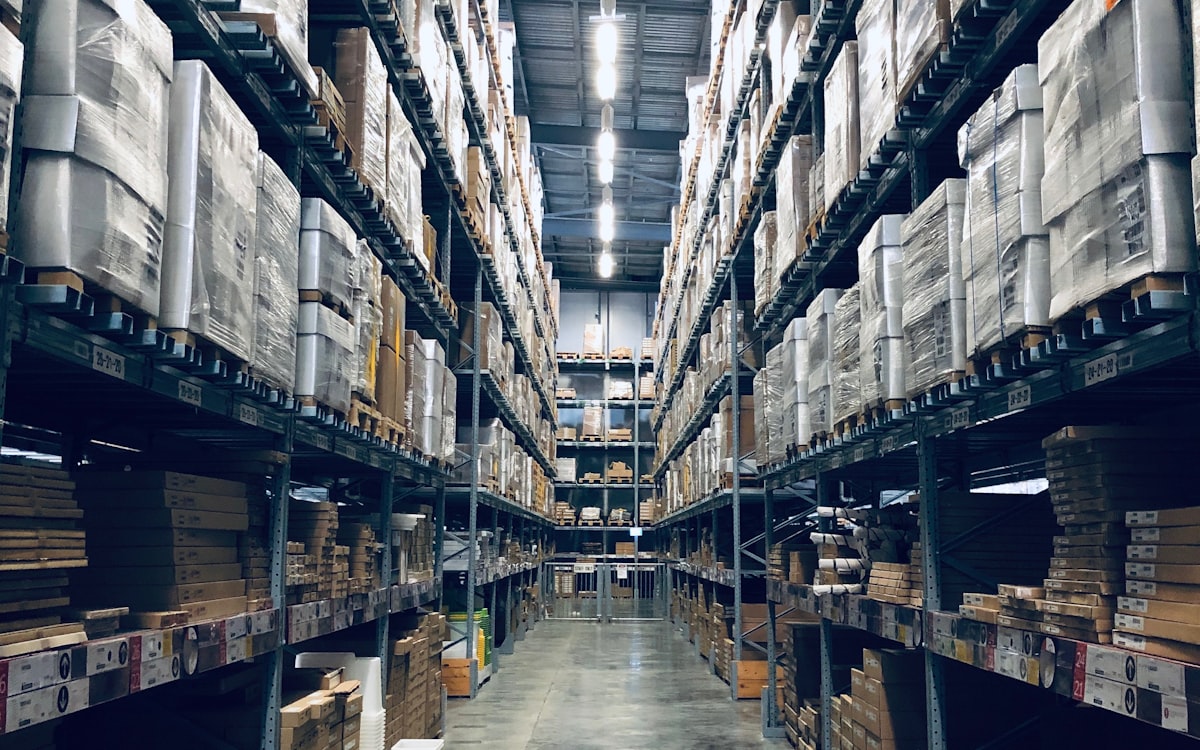
Stock is the quantity of goods a company holds, at a given moment, to sell, transform, or ship: what sits in rack, dock, a unit in transit, or a quarantine hold. In Mexico corridor Spanish the English loanword is everyday ops language (also existencias); colloquial “stockeado” means “already stocked.”
If the screen says “in stock” but the dock cannot release the trip, you do not have tenderable stock: you have a promise. This guide locks meaning, states, types, and management for Mexico–U.S. shippers · not an ecommerce inventory tutorial.
- available · committed · transit · hold
- 4 states
- MX–US shipper · not retail-only
- CEDIS
- Lying “in stock” breaks the appointment
- OTD
- OCL closes the trip · not the WMS
- Post-stock
Cluster: inventory · SKU · safety stock · OTD · distribution costs.
What stock is (usable meaning)
Stock answers: how many units, in what state, ready for what? It is not only the green ecommerce number. It includes free stock, stock reserved to an order, stock between nodes, and stock blocked for quality or documents. Without that read, traffic books appointments against air.
Search language: stock, in stock / out of stock, and informal stockeado. Accounting still says inventory · see what inventory is.
Stock vs inventory vs SKU
Three terms that blur on WhatsApp and break picking. Use each for a different question.
Stock
Question it answers: How many units, in what state?
Typical owner: Warehouse / planning
Expensive failure: Promising available what is committed or on hold
Inventory
Question it answers: What goods do we hold and how are they valued?
Typical owner: Finance + operations
Expensive failure: Treating the book asset as freight-releasable
SKU
Question it answers: Which item is it (master code)?
Typical owner: Master data / commercial
Expensive failure: Two codes for one product · or one for two
The SKU identifies the product; stock counts units of that SKU; inventory groups the set (and its cost). If the code is wrong, “perfect stock” still lies to the shipment.
Available · committed · transit · quarantine
In a corridor distribution center (DC / CEDIS), these four states separate what you can sell or tender from what merely “exists” in the building or on the road.
Available (releasable)
What it is: Free of reservation and hold · lot/docs ready
Can I tender today?: Yes, if dock capacity exists
Warning sign: “Green” balance with no pickable location
Committed / reserved
What it is: Held for an order, wave, or customer
Can I tender today?: No (unless explicitly reassigned)
Warning sign: Double promise on the same SKU
In transit
What it is: Between nodes · not yet received
Can I tender today?: No at origin or destination
Warning sign: Marked available without a trip ID
Quarantine / hold
What it is: Quality, fiscal, recall, or missing documents
Can I tender today?: No until the hold clears
Warning sign: Shows as free on screen
Ecommerce fulfillment guides often split stock into available, reserved, inbound, and unsellable. The logic rhymes; the context does not: here the owner is your DC and the cost of error is appointments, empty miles, and proof of delivery (POD) disputes.
Stock types that move freight
Ecommerce lists can run forever. For Mexico–U.S. shippers, these types move OTD, capital cost, and transfer documents.
Finished goods (FG)
What it is for: Ready to sell or transfer
Corridor example: Pallets in Monterrey DC bound for Laredo
Alert: FG without docs = not releasable
Safety stock
What it is for: Absorb demand and lead-time variability
Corridor example: Buffer for a critical SKU at the border
Alert: Eternal buffer = disguised overstock
Stock in transit
What it is for: Capital on the road between nodes
Corridor example: DC A to DC B without receipt
Alert: Selling the same lot twice
Cycle stock
What it is for: Cover demand between replenishments
Corridor example: Weekly lot for store/plant replenishment
Alert: ROP without real freight lead time
Overstock / dead
What it is for: Excess or no rotation
Corridor example: Last season filling rack
Alert: Pays rent, slows picking, triggers reactive freight
Retail “in stock” vs the dock
The phrase that sells on a marketplace is not the one that releases a truck. Mixing them is the expensive way to “win” fill rate on screen and miss the on-time delivery (OTD) window.
In stock
Retail / ecommerce reading: Units exist to list/sell
DC / corridor reading: Are units releasable to tender today?
Risk: Truck appointment with no pallet
Out of stock
Retail / ecommerce reading: Nothing to sell
DC / corridor reading: Stockout or not releasable (hold/transit)
Risk: Expedite freight or cancel the order
Stockeado (colloquial)
Retail / ecommerce reading: “It arrived / we have it”
DC / corridor reading: Received, put away, and released?
Risk: Counting partial receipt as free
When the system says “in stock” but the unit is stuck in the DC (no dock slot, no lot, no transfer CFDI between sites), OTD breaks even if the WMS looks green. See also stockout.
Management: ROP, safety, and JIT
Managing stock is not “fill the rack.” It is deciding when to replenish, how much buffer to keep, and what does not deserve idle capital · with real freight lead time, not pamphlet lead time.
- Reorder point (ROP): level that triggers purchase or transfer. It must include supplier lead time and transport (crossing, appointment, detention).
- Safety stock: buffer against uncertainty · dedicated guide. Inflating “just in case” is overstock by another name.
- Just in time (JIT): less inventory, more pressure on OTIF and visibility · what JIT is. Without that, lean becomes a stockout.
Ecommerce tutorials push JIT/ROP toward replenishing channel fulfillment. Here the destination is not a marketplace fulfillment center: it is your DC network and the trip file.
Overstock and distribution cost
Extra stock does not only “take space.” It slows picking, saturates the dock, triggers urgent transfers, and turns balance errors into empty miles and accessorials.

Cross stockouts and overstock with redeliveries and cost per delivery · distribution costs in Mexico. The cost lives in the network, not only in aisle shrink.
From balance to tender
Before promising service, stock needs a minimum operating filter. The diagram is the order; detail lives in the checklist and states.
Operating filter
Balance, releasable, and trip
Elige un paso para ver el detalle
Detalle del paso · 01
Read states
Checklist before saying “we have stock”
Use it in the tower, warehouse, or accounts payable when someone promises a shipment “because the WMS is green.”
Elige un paso para ver el detalle
Detalle del paso · 01
Separate available from committed and hold
Post-stock trip file
OCL Cargo is an autonomous transportation management system (TMS) with computer-use agents: it does not compete with your WMS for rack balances. It closes the file after stock leaves · appointment, POD evidence, tower exceptions, and an auditable trail for accounts payable.
Who owns exceptions? Your team. Agents prepare the file; they do not invent commercial judgment. When in scope, OCL can stamp invoice and Carta Porte. Typical pilot 6–8 weeks; 5–7% recovery pattern when auditing 100% of the pilot flow · price signal from ~$50 MXN per shipment depending on scope.
Key takeaways5 points
- Stock = quantity and state of goods at a point in time · not just “in stock / out of stock” on a storefront.
- Four states that matter to tender: available · committed · in transit · quarantine.
- Retail “in stock” ≠ releasable at the dock: if you cannot tender today, do not invent OTD.
- Useful management: ROP + safety stock + JIT only with real OTIF · overstock shows up in distribution cost.
- OCL does not replace your WMS: it closes the trip file after stock leaves. Who owns exceptions? Your team.
Is your “in stock” not tenderable?
Related reading
Frequently asked questions
In casual talk, almost. In useful ops: stock stresses quantities and states (available, committed, in transit, quarantine); inventory stresses the set of goods and valuation. Deep dive: what is inventory.
In retail/ecommerce, “in stock” usually means “units exist in the system to sell.” In a Mexico–U.S. distribution center (DC / CEDIS), the operating question is: can I tender this SKU today? If it is in quarantine, reserved, or in transit, on-screen “in stock” is not releasable.
Not always. Available in the warehouse management system (WMS) can include units not ready to tender (missing lot, documents, quality hold). Use the available · committed · transit · quarantine matrix in this guide.
With policies by SKU: reorder point (ROP), safety stock calibrated to real lead time, and just in time (JIT) only with OTIF and visibility. Without that, “lean” becomes a stockout.
It is not a WMS. The WMS owns on-hand balances in the node. OCL is an autonomous TMS with agents: it closes the trip file after stock leaves. Who owns exceptions? Your team. When in scope, OCL can stamp invoice and Carta Porte.